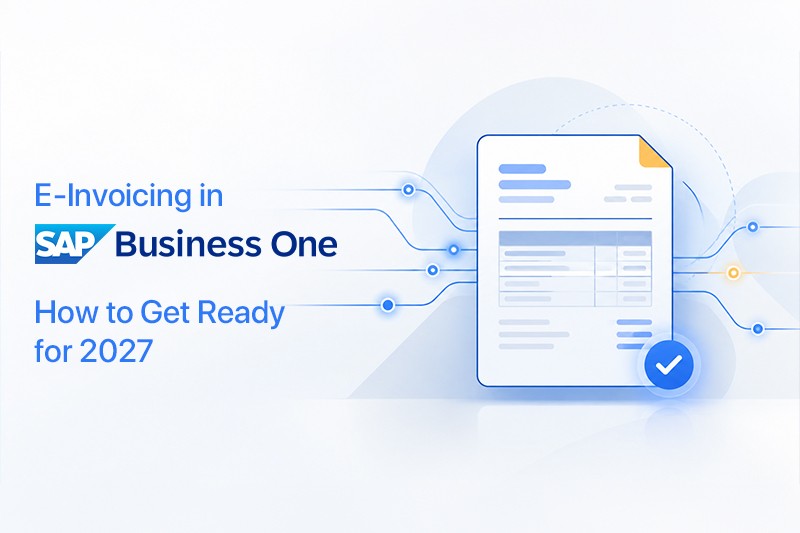
From 2027, German companies with a prior-year turnover above €800,000 must send e-invoices, and all businesses follow in 2028. This post explains what counts as an e-invoice, why archiving matters just as much, and how SAP Business One users can get ready with our DMS & E-Invoice Add-on, without changing systems.
"Do we really need a new system for e-invoicing?" We've heard this question a lot over the past few months, usually from finance managers who already have plenty on their plate.
It's a fair worry. From 2027, many German companies will have to send their invoices as structured e-invoices, and paper or a simple PDF won't cut it anymore. If you run SAP Business One, though, there's good news: you don't need to replace anything. With the right add-on, your existing system can create compliant e-invoices and archive them safely, right in the screens your team already knows.
Below, we walk through what an e-invoice actually is, when the rules kick in, and how our DMS & E-Invoice Add-on for SAP Business One can take the stress out of the switch.
So, what actually counts as an e-invoice?
This is where most of the confusion starts. Plenty of people assume that emailing a PDF already counts as e-invoicing. Unfortunately, it doesn't.
Under the German rules, an e-invoice is a structured, machine-readable file that follows the European standard EN 16931. Think of it this way: a PDF is a picture of an invoice that a person reads, while an e-invoice is data that your customer's software can read on its own. No retyping amounts, no copying VAT numbers, no typos.
In Germany, you'll mostly come across two formats. XRechnung is pure XML. It started out for invoices to public authorities and is now common between companies too. ZUGFeRD is a hybrid: a normal-looking PDF with the XML data tucked inside, so both people and systems can work with the same file.
Which one you'll need often depends on your customers. That's why it helps to have a system that handles both.
When do the rules kick in?
The good news is that Germany is rolling this out step by step, not overnight:
- Since January 2025, every business in Germany has to be able to receive e-invoices.
- From January 2027, companies with a prior-year turnover above €800,000 must send their domestic business invoices as e-invoices.
- From January 2028, everyone else follows, regardless of size.
If you're above that €800,000 mark, 2027 is only a little over a year away. That sounds like plenty of time, but changing how you invoice always takes longer than expected. Formats need testing, customer data needs checking, and your team needs a little time to get comfortable. Nobody wants to be sorting this out in the last week of December.
Sending the invoice is only half the story
Here's something that often gets overlooked. Once an e-invoice is sent or received, it has to be stored properly, in its original format, usually for ten years in Germany.
In many companies we work with, documents live in a mix of places: someone's inbox, a shared drive, a paper folder in the back office. That works fine right up until an auditor asks for a specific invoice from three years ago, together with the order and delivery note that go with it. Then the searching begins.
That's why we see e-invoicing and document management as two sides of the same coin. When invoices are created in your ERP and archived automatically at the same moment, staying compliant simply becomes part of the everyday routine.
How our add-on brings it all together
We built our SAP Business One e-invoicing add-on to handle both jobs in one place. It creates e-invoices directly in SAP Business One and connects your system to ecoDMS, a well-established document management system, for secure archiving.
In day-to-day use, it feels like a natural part of SAP. Your team creates an invoice as usual, and the add-on produces it in XRechnung or ZUGFeRD format. At the same time, the document is archived in ecoDMS, with version history and audit-proof storage, and linked to the matching transaction in sales, purchasing or finance.
A few things our customers tend to appreciate most:
- They only log in to SAP Business One. There's no need to open ecoDMS separately to find or file a document.
- Documents are tagged automatically with keywords and SAP details, so searching takes seconds.
- It handles PDFs, images, emails and XML files.
- A simple report shows which documents haven't been archived yet, so nothing slips through.
- Role-based permissions keep sensitive documents in the right hands.
The add-on is SAP-certified and runs natively inside SAP Business One, with no middleware in between. It works on SQL and HANA from version 9.3. It's also officially listed as a system integration on the ecoDMS website, and we're proud to be an ecoDMS Qualified Premium Reseller.
What changes for your finance team
Getting compliant is the reason most companies start. But the everyday benefits are usually what people notice first.
Invoices come out of SAP in the right format straight away, so nobody has to export, convert or re-enter anything in a separate tool. When a customer calls with a question about an invoice, the original, the order and the delivery note are just a click away. And when the auditors arrive, the audit trail and version history are already there, which makes that week a lot calmer.
There's a quieter benefit too. Sales, purchasing and accounting all work from the same central archive, instead of each team keeping its own folders. Add less printing and fewer filing cabinets, and the office feels a little lighter as well.
Where to start: five practical steps
If you're wondering what to do first, here's the approach we usually recommend to our customers:
- Find out if 2027 applies to you. A quick look at last year's turnover tells you whether you're above the €800,000 threshold.
- Map your current process. How are invoices created, sent and stored today? Where does someone still type things in by hand?
- Ask your main customers. Do they prefer XRechnung or ZUGFeRD? A short email now saves surprises later.
- Tidy up your master data. E-invoices need complete customer details, like addresses, VAT IDs and buyer references. Missing details are a common reason invoices get rejected.
- Test early. Send a few test invoices to friendly customers well before the deadline, so any issues show up while there's still time to fix them.
You don't have to do this alone, either. Our team helps with each of these steps when we set up the add-on for you.
The bottom line
Mandatory e-invoicing is a real change, but it doesn't have to turn into a big IT project. If you already work with SAP Business One, you can simply extend the system you know instead of starting over with something new.
Our DMS & E-Invoice Add-on brings e-invoicing and secure archiving together in one SAP-certified solution. It's quick to set up, and your team can keep working the way they're used to.
Curious how it would look in your own setup? Head over to the DMS & E-Invoice Add-on page to watch the demo video, check pricing, or book a free demo. We're always happy to look at your current invoicing process with you and talk through what would work best.




 Applicable for Package
 Optional